
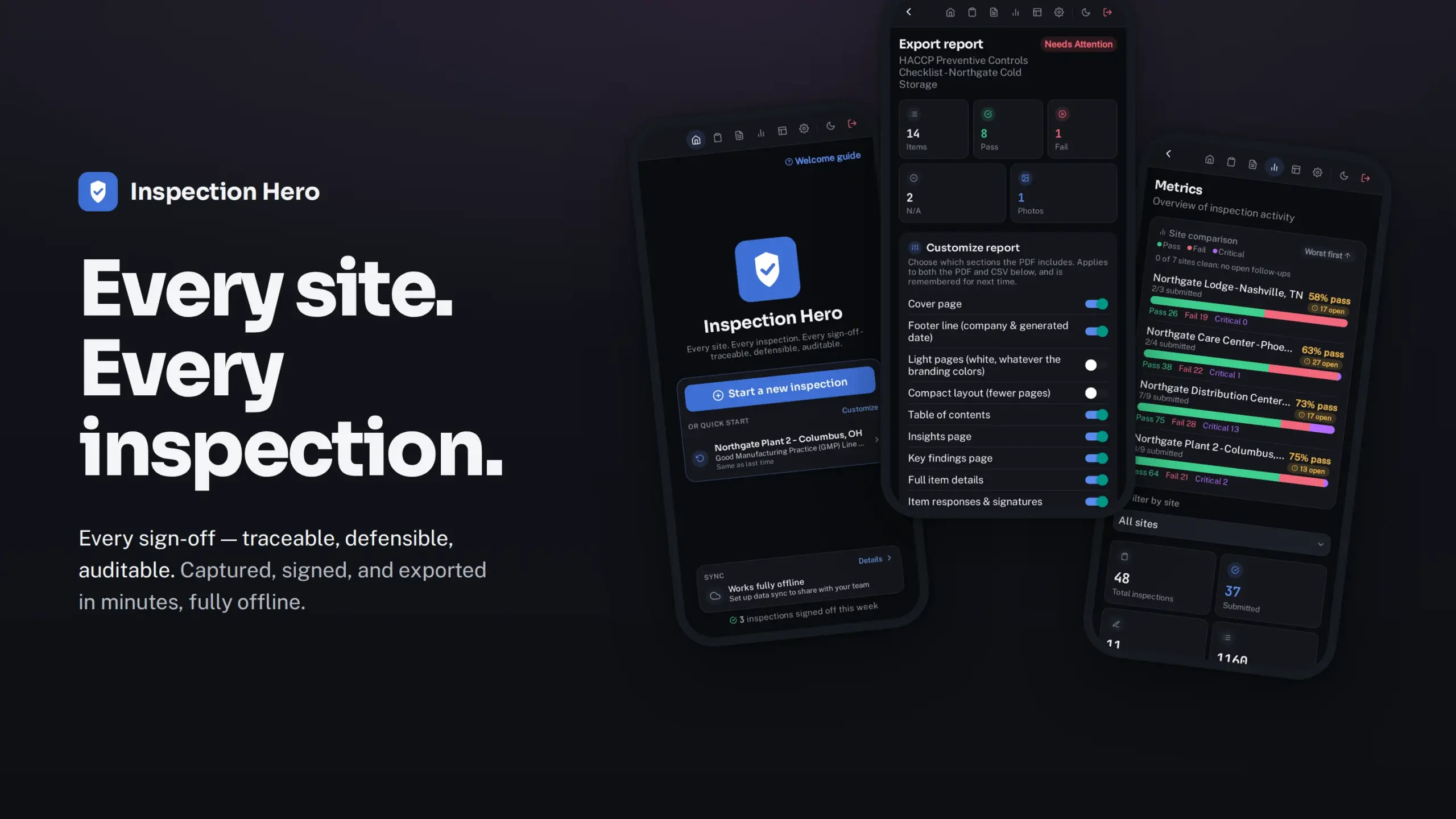
No lock-in. No vendor cloud. No surprises.
One flat price per organization, never per user. Records live in storage you already control, and they stay yours on day one and on the day you leave.
Free on the App Store for iPhone, iPad and Mac. Android coming soon. No account with us, nothing to set up.
One flat price. Never per user.
Plans are priced per organization. Add people up to your plan’s ceiling and the price doesn’t move. The Team plan costs less than four seats of the tools you’ve been quoted.
Your data. Your storage.
Records live on your devices and sync, when you choose, to the Amazon S3, Google Cloud, or Azure storage you already control. Nothing is sent to us.
Rigor built in.
A signed submit → review → approve workflow, weighted risk scoring, corrective actions that can’t close without evidence, and PDF and CSV reports an auditor will accept.
Built for the work you have to prove
Safety walkthroughs, HACCP and GMP checks, ISO audits, fire rounds: the record someone will ask for, months later.
Signed sign-offs
Submit, review and approve are each a digital signature made on the signer’s own device, and the PDF prints a verdict for every step.
Where others can’t go
There’s no server of ours in the path, so it goes where a cloud service can’t: export-controlled, CUI, CJIS, residency-bound and air-gapped work.
AI on the device or your own key
Inspection Hero works with Apple Intelligence on supported iPhone, iPad and Mac, where drafts stay on the device, or with your own key or a model you host. It’s off until a Supervisor turns it on, every AI draft is in the audit trail, and there’s no credit meter.
Since Last Visit, in the PDF
Every check is compared with the last approved visit at the site, in the report the auditor holds: new failures, repeat findings, resolved items.
Offline, all of it
Capture, review, approval, export and plan activation all work with the radio off. How offline works →
∞
checklists — start from one that’s built in, or describe anything you can dream up and the AI Assistant drafts it
9
answer types, with skip logic
6
roles — no one approves their own work
$0
to start: the full workflow, free
0
records ever sent to us
From walkthrough to signed report
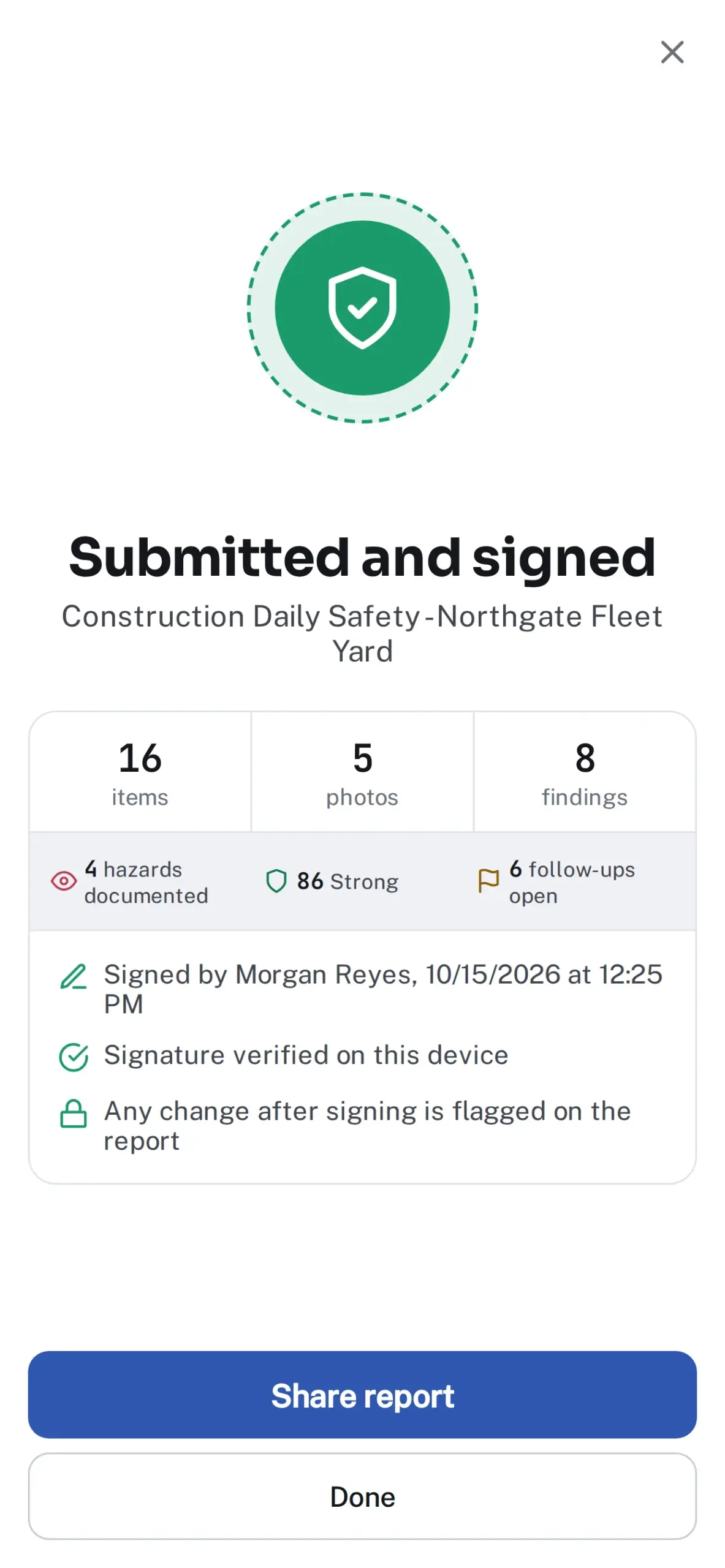
Signed. Sealed. On record.
Each step is signed by a different person, and a sealed confirmation shows the signature verified the moment it lands. Approved records lock, and the approved record card sends the signed chain to a site manager as one image.
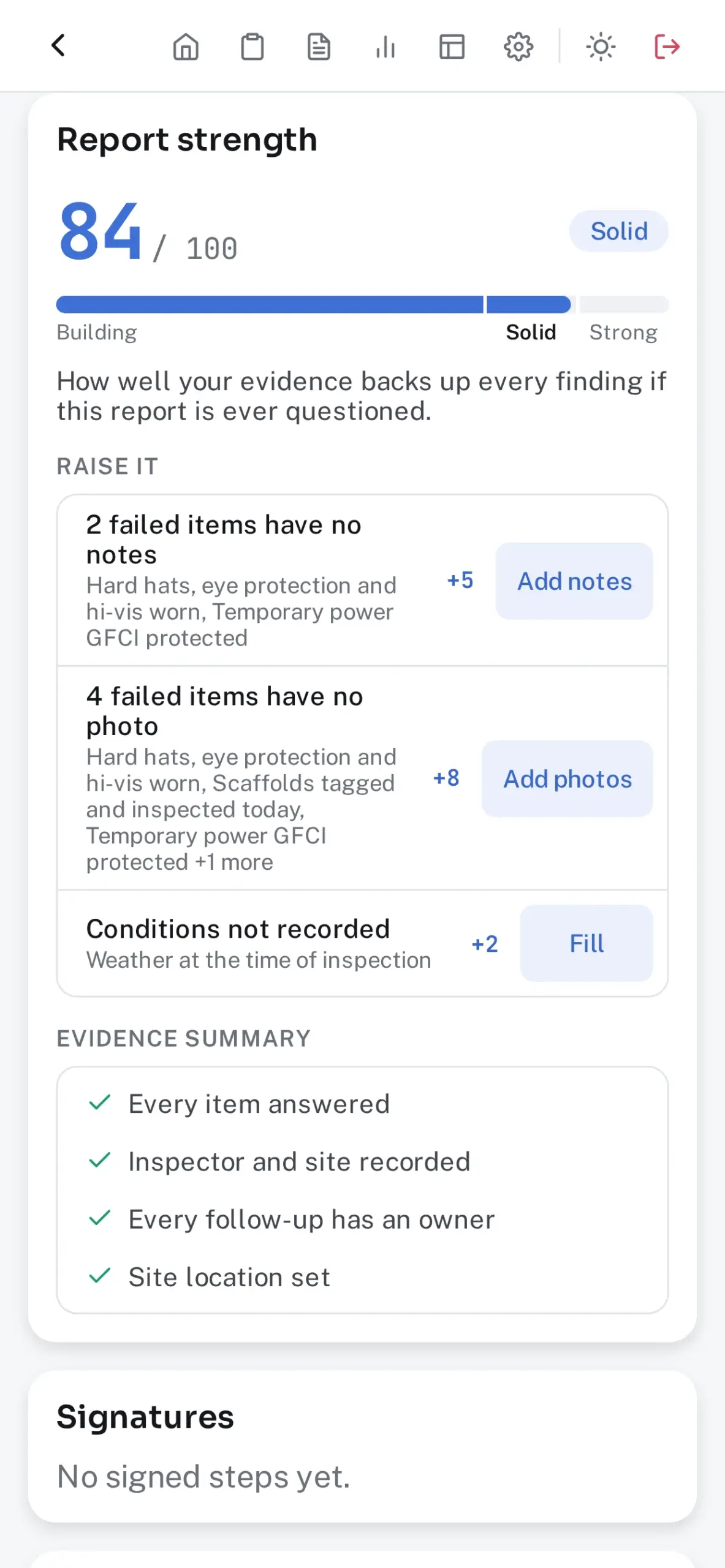
Know it holds up before you sign
Report strength scores how well the evidence backs every finding and lists each gap with a one-tap fix. It’s coaching, not a grade, and never leaves the device.
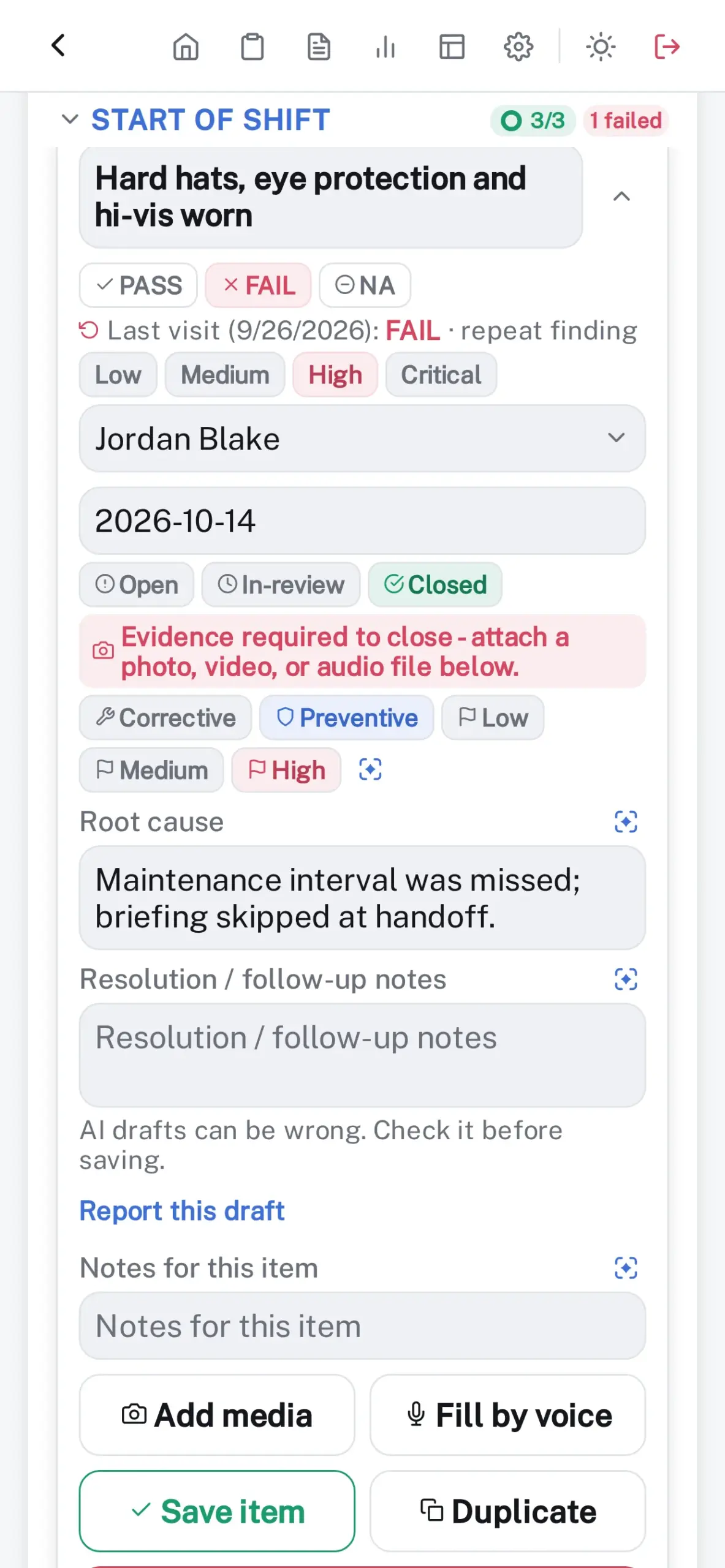
Nothing closes without evidence
A failed item becomes a follow-up with an owner, due date and root cause, and it can’t close until evidence is attached. The CSV export doubles as your CAPA register.
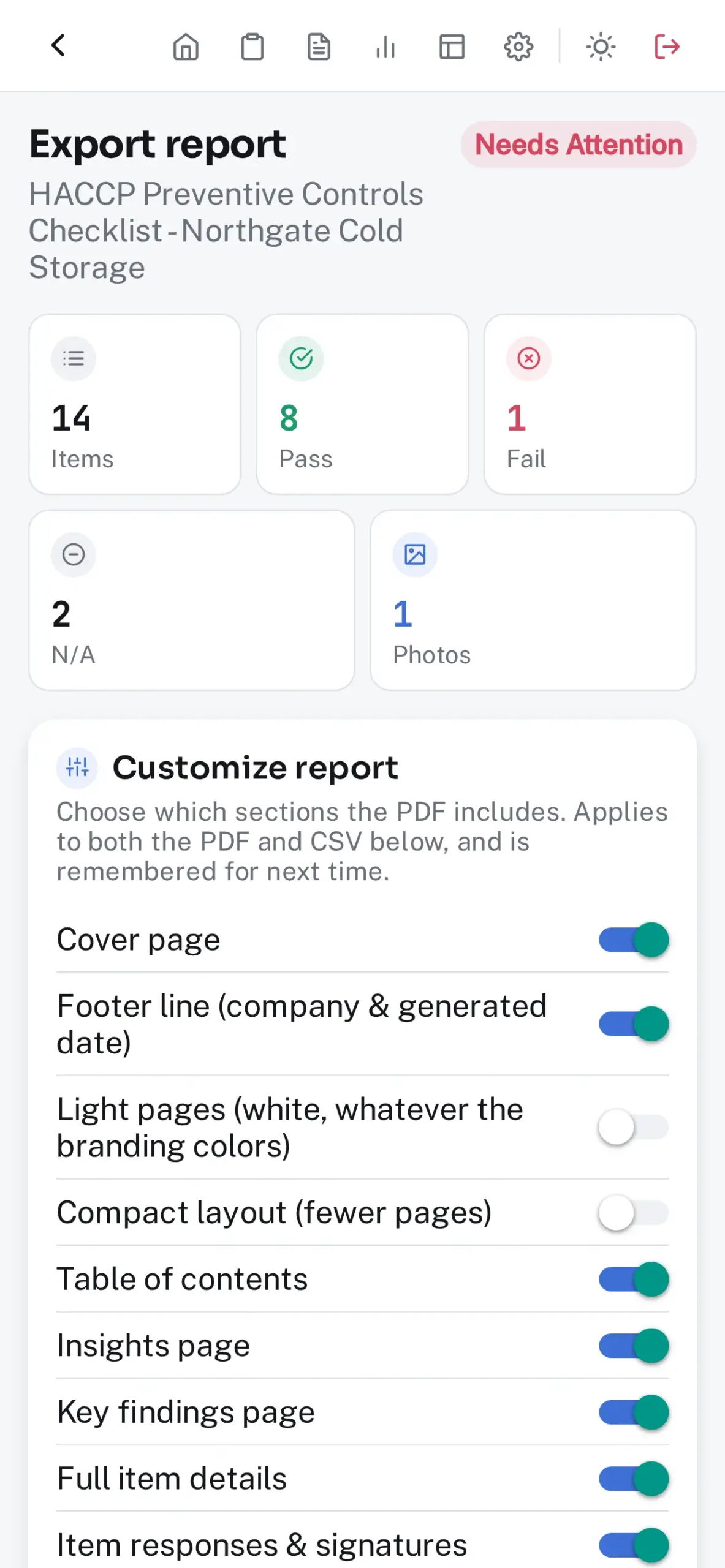
Reports that hold up
Print-ready PDFs in your logo and colors, with photos, signatures, the weather on the cover and an Insights page on what fails most at the site. Export a month of approved inspections in one pass.
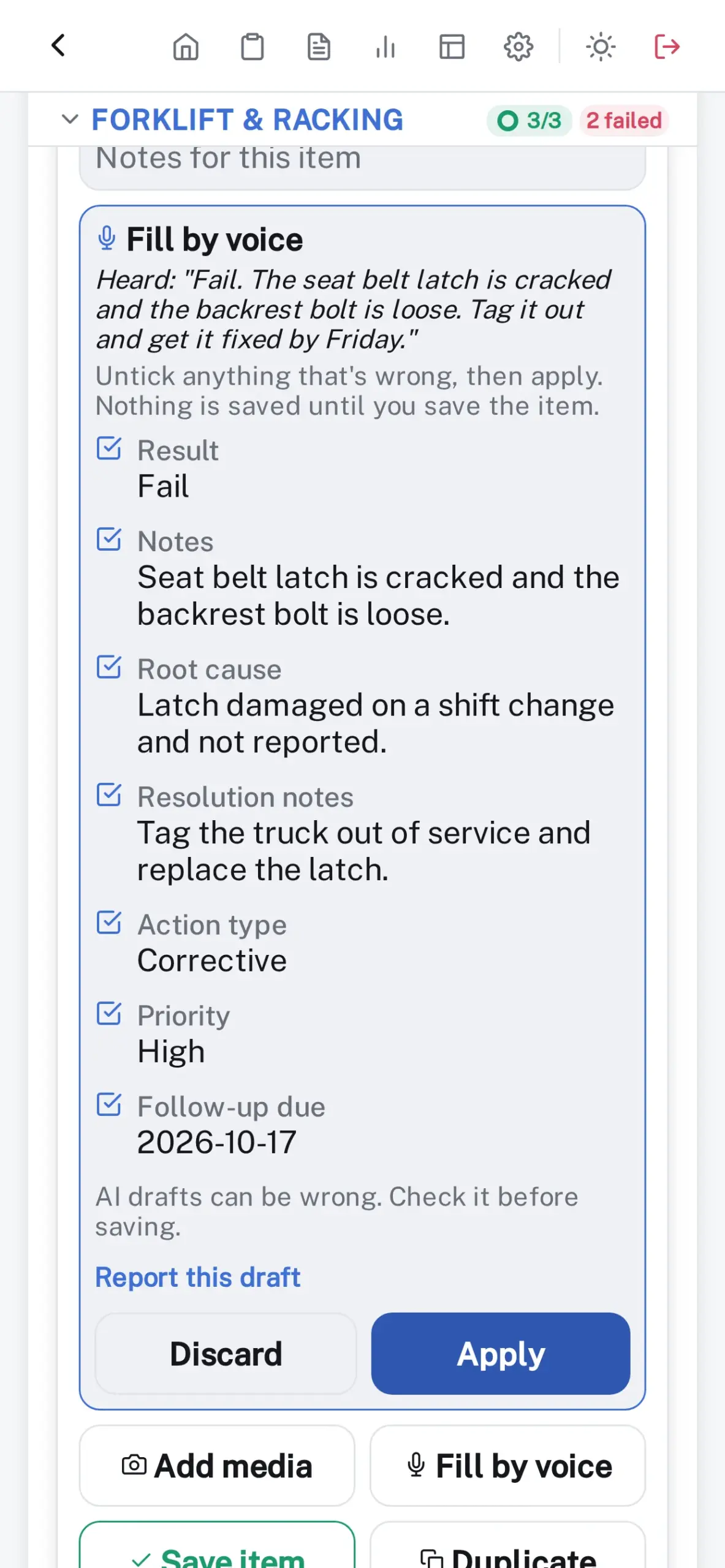
Say what you see. It’s written up.
Tap Fill by voice and say it the way you’d tell a colleague: “fail, the grease trap is overflowing, fix it by Friday.” The answer, notes and follow-up come back for you to tick before anything is saved.
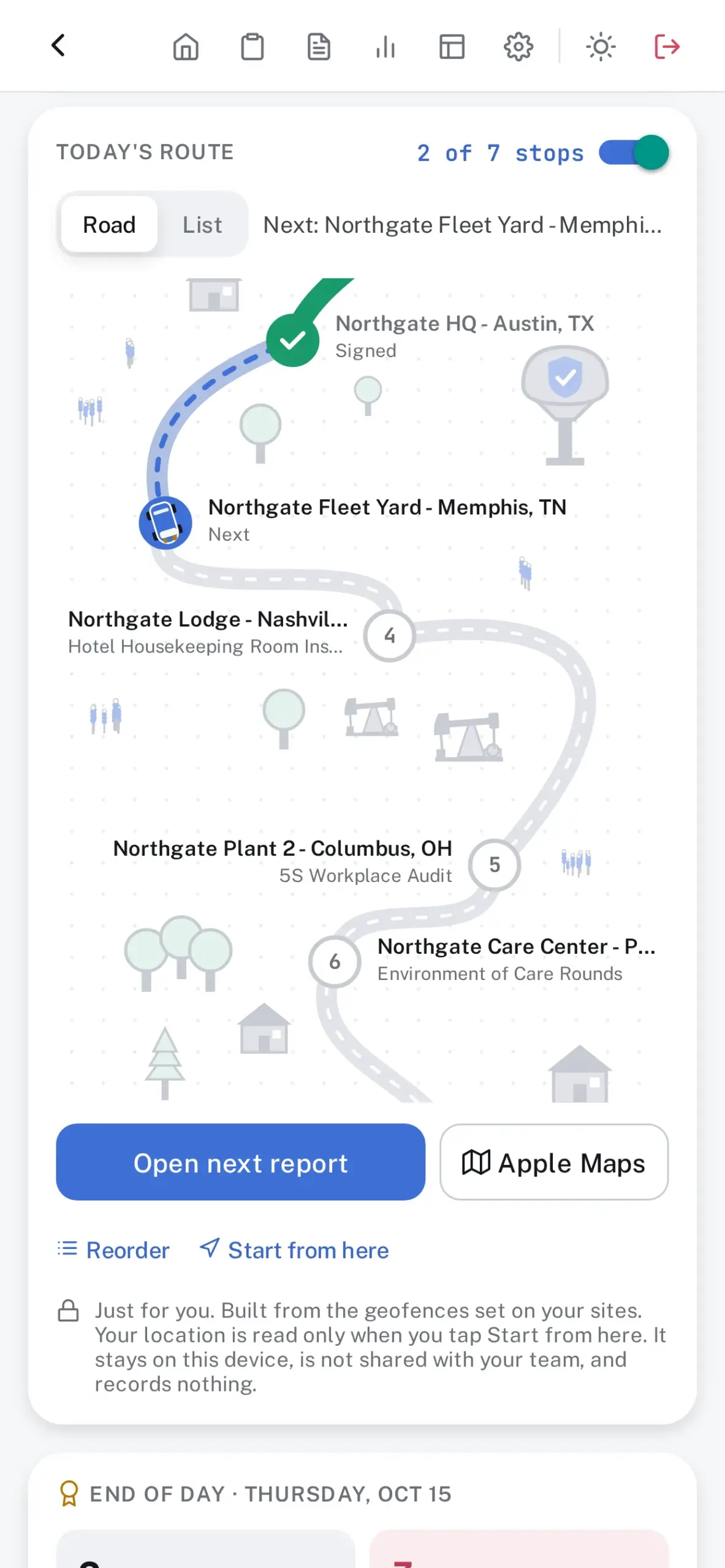
Today’s stops, nearest first
Each inspector’s day lines up as stops on a road, nearest first, moving on as each inspection is signed, with directions in Apple Maps and a recap at day’s end. Built on the device, and yours alone.
Plus everything you’d expect
- Schedules and assignment: daily, weekly or monthly inspections appear on their day, already assigned, on every plan.
- Team tab: a Supervisor sees everyone’s open work and which scheduled visits were on time, late or missed, and books a make-up.
- Set up another device: one code per setting from Settings, or join your organization from a new install. Nothing passes through us.
- Single Sign-On (Google Workspace, Microsoft Entra ID, Okta, OneLogin, Ping Identity or any OpenID Connect provider): set once for the whole organization, checked with Test connection before anyone signs in, and a Supervisor can make it the only way admins sign in.
- Alerts: due work, every signed step and critical fails, to Slack, Microsoft Teams, Discord, Telegram, email or a webhook.
Drafts from photos, review walkthroughs, redaction, site profiles, the Checklist Library and more: see every feature.
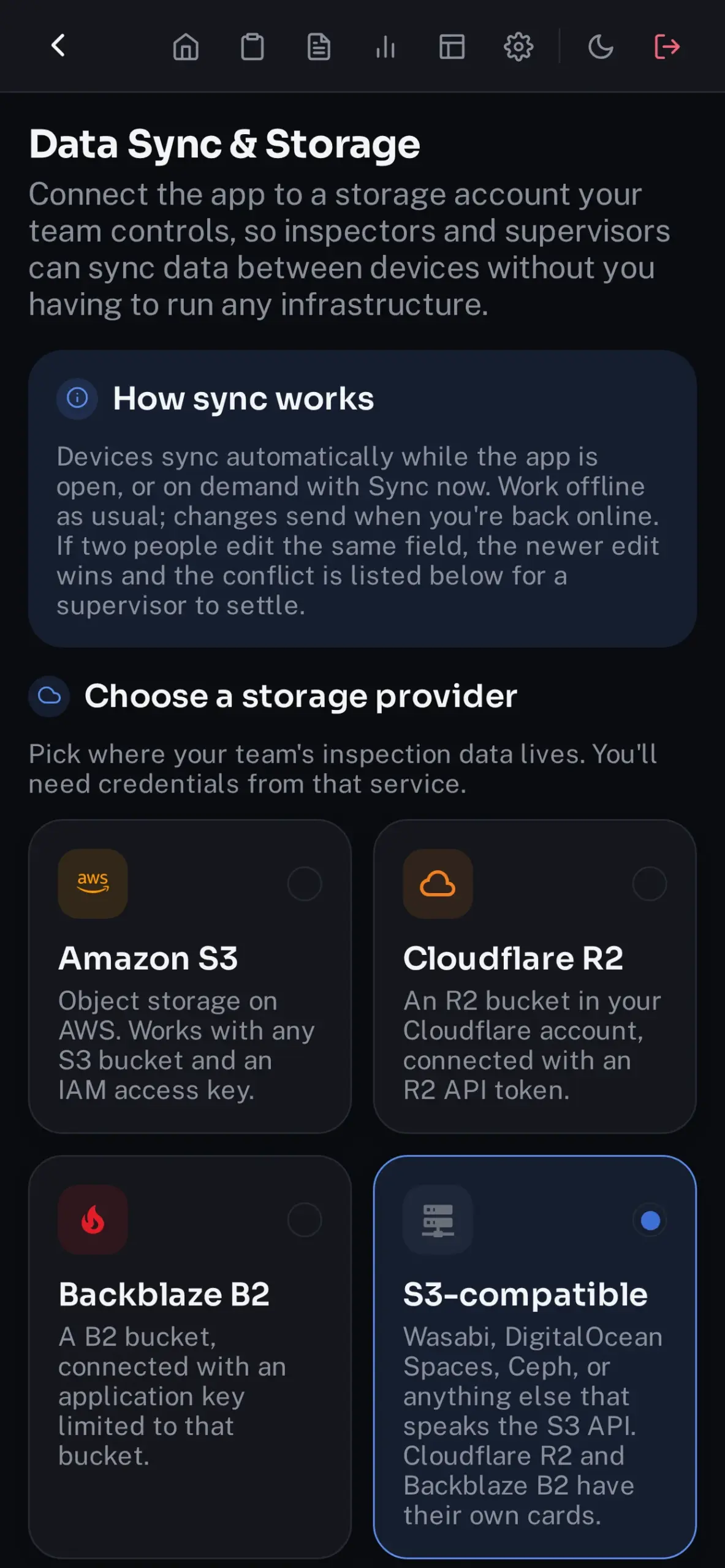
Point Data Sync at storage you already control.
Every device stays in step: conflicts are flagged for review, a new device picks up the whole workspace on its first sync, and a Sync card on Home shows what’s waiting.
Amazon S3 · Google Cloud Storage · Azure Blob Storage · Azure Files · Cloudflare R2 · Backblaze B2 · Wasabi · DigitalOcean Spaces · Ceph · a custom sync endpoint you build and run
Some sites won’t let the record leave the building.
Inspection Hero is built for them:
- Export-controlled and CUI work — ITAR, EAR, NIST SP 800-171, CMMC
- CJIS-bound public safety — jails, evidence rooms, 911 centers
- Air-gapped and closed networks
- Data-residency mandates — EU and Schrems II, the Gulf, Canada, India, Australia
- FedRAMP, StateRAMP, and TX-RAMP procurement, with no cloud service to authorize
- Critical infrastructure and nuclear sites — NERC CIP, 10 CFR 73.54
- Validated GxP lines under 21 CFR Part 11, and PHI environments with no BAA to sign
- Trade-secret manufacturing, where the photographs are the process
- Works-council and employee-data rules in Germany, the Netherlands, and France
- And underground, offshore, or anywhere else with no signal at all
We hold no certification under those programs, and we don’t need one: your records never reach us, so the environment you’ve already accredited stays the boundary.
How it works
1. Download and go.
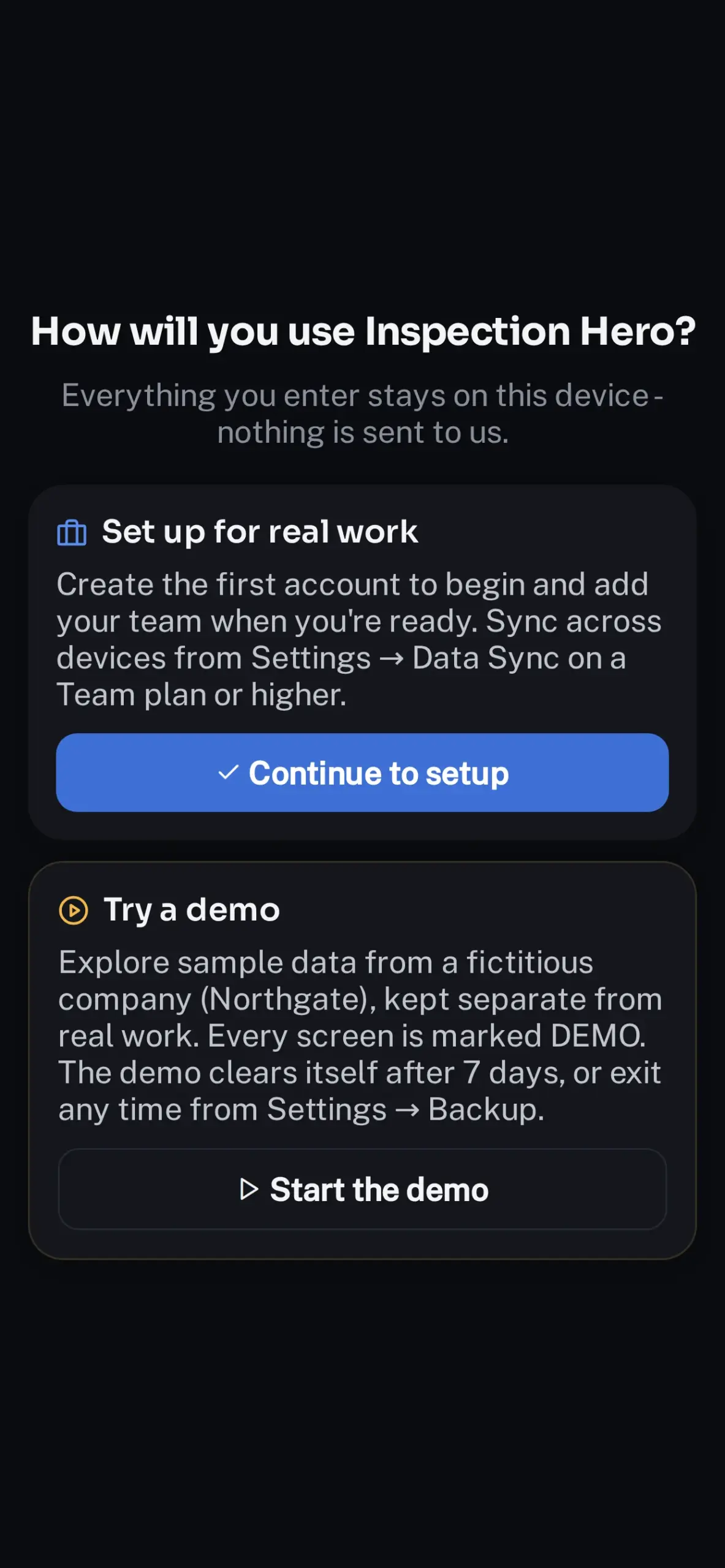
Install on iPhone, iPad or Mac, then tap “Try a demo” or “Set up for real work”.
2. Inspect, sign, export.
Import a checklist, walk the site, collect sign-offs, and export a report.
3. Add your team when you’re ready.
Connect Data Sync to your storage, invite the crew, and turn on alerts and SSO.
Who it’s for
Food safety & manufacturing
HACCP and GMP audits with temperature thresholds that score themselves.
Multi-site operations
Site comparison, score trends per location, and a geofence check that flags photos taken off-site.
Regulated & public sector
Defense, public safety, utilities and residency-bound agencies, with role separation, signed transitions and encrypted backups.
Safety teams of any size
Free for up to five accounts on one device, one flat price as you grow.
We’re onboarding founding customers directly.
Ten organizations get 30% off any plan, locked for two years, guided setup, and a direct line to the people building the product — in exchange for honest feedback from the field and permission to name you as a reference. If that sounds like your team, tell us about it.
One flat price per organization.
Starter
$0
Up to 5 accounts, one device
Team
$948 / year
Up to 25 users · Data Sync · alerts
Business
$3,588 / year
Up to 85 users · SSO · bulk import
Enterprise
$12,000 / year
Up to 125 users, more on a quote · SLA · onboarding
Paid plans are purchased on this site and activated with a license key.
Nothing is transmitted to us.
No analytics, no ad SDKs.
AES-256-GCM
encrypted backups
Device keychain
holds every secret
Face ID / Touch ID
unlock
SSO tokens
verified on the device
Full audit trail,
locked approvals
Questions people ask first
Do I need an account with you?
No. Accounts live on the device, and nothing phones home.
Does it really work with no signal?
Yes, all of it; Data Sync catches up when you’re back. How offline works has the details.
Can I try it with real-looking data?
Tap “Try a demo” on first launch: a populated sample workspace for seven days, every screen marked DEMO and every export watermarked.
What happens if my plan lapses?
Nothing is locked or deleted. You keep every record and the Starter features; paid features pause until you renew.
Try it with real data in the next five minutes.
Download, tap “Try a demo” and explore a fully populated sample workspace. No signup.
Free on the App Store — coming soon. Leave your email below and we’ll write the day it’s live.
Talk to us
Rolling it out to a team, or working through a security questionnaire? Write to support@inspectionheroapp.com or use the form. Need more than 125 users or your own terms? Request a quote and it arrives in writing within one business day.