
Features
Everything an inspection needs, and nothing that phones home.
Safety walkthroughs, quality audits, HACCP and GMP checks, fire and life-safety rounds, equipment and site inspections — the work you have to prove you did, months later, when someone asks for the record. Everything here runs on the device in your hand, with or without a signal.
One flat price. Never per user.
Plans are priced per organization. Add people up to your plan’s ceiling and the price doesn’t move.
Your data. Your storage.
Records live on your devices and sync, when you choose, to the Amazon S3, Google Cloud, or Azure storage you already control. Nothing is sent to us.
Rigor built in.
Signed submit → review → approve workflow, weighted risk scoring, evidence-gated corrective actions, and reports an auditor will accept.
What sets it apart
- Signed sign-offs. Submit, review, and approve are each a digital signature made on the signer’s own device, and the PDF prints a verdict for every step.
- Where others can’t go. There’s no server of ours in the path, so export-controlled, CUI, CJIS, residency-bound, and air-gapped work is in scope. See every environment.
- AI on the device or your own key. Inspection Hero works with Apple Intelligence on the device, or with your own key or a model you host. It stays off until a Supervisor turns it on, and there’s no credit meter.
- Since Last Visit, in the PDF. Every check is compared with the last approved visit at the site, in the report the auditor holds: new failures, repeat findings, and resolved items.
- Offline, all of it. Capture, review, approval, export, and plan activation all work with the radio off.
Capture the whole story
Evidence, attached where it happened, whether or not you have a signal.
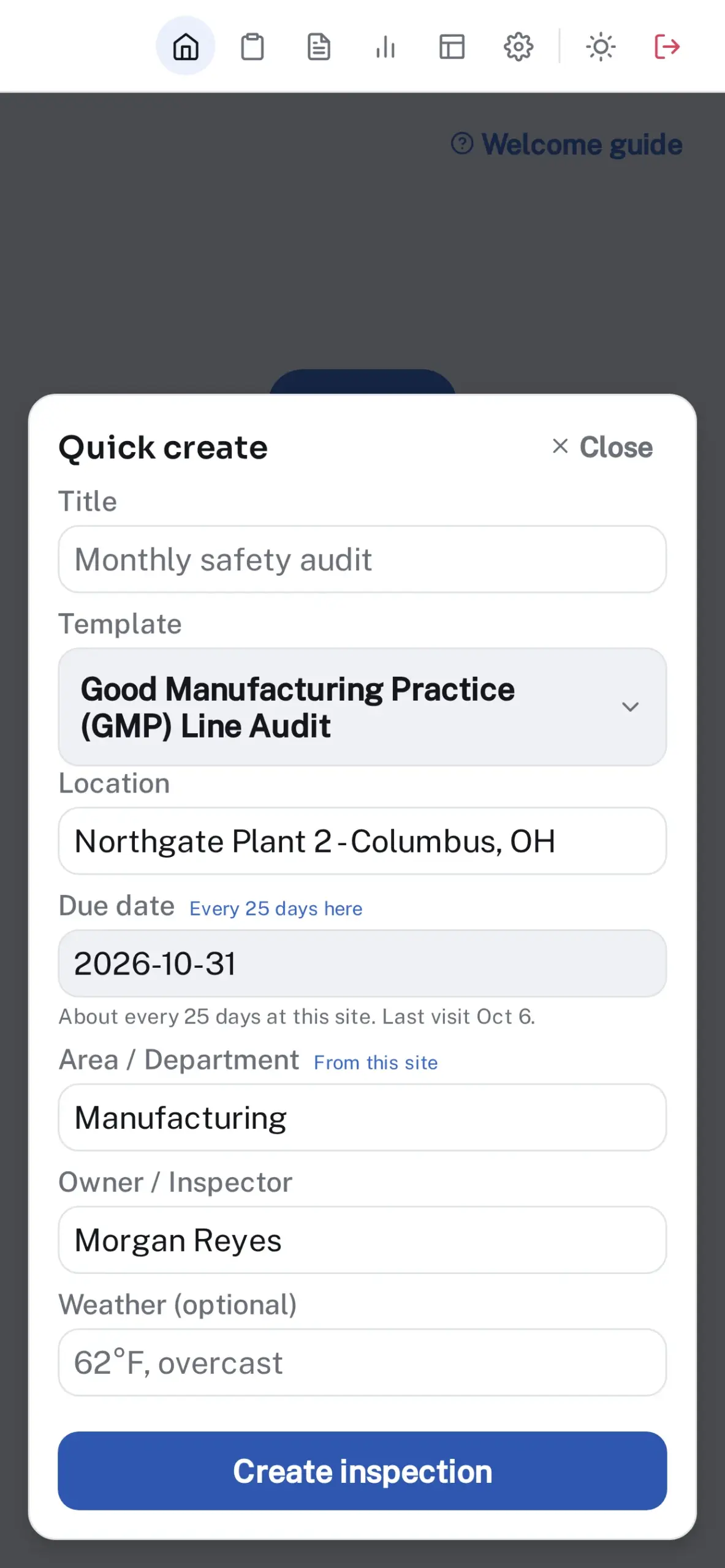
- Photos, video, and audio on any item, GPS-tagged, with map thumbnails in the report. Draw on a photo to circle the issue.
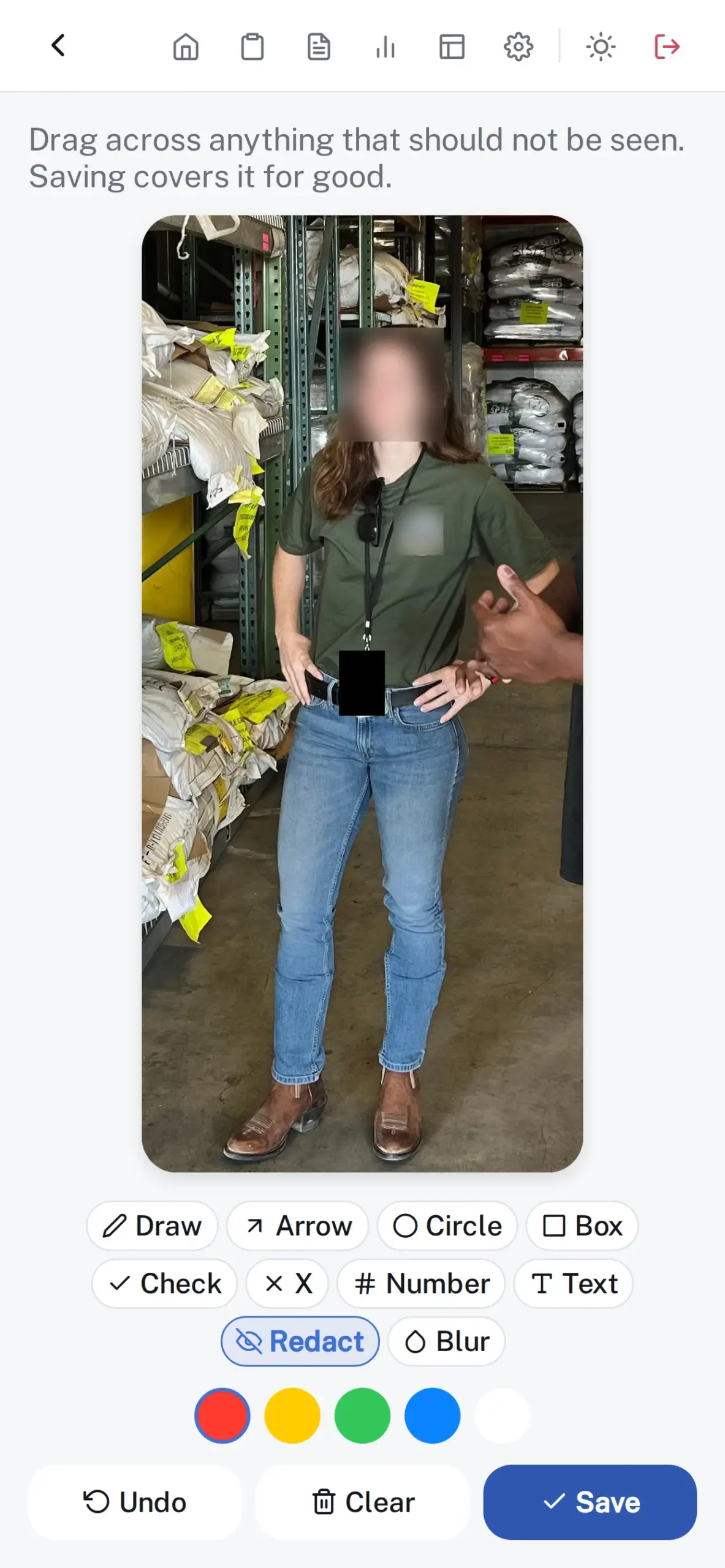
- Redact or blur faces, badges, and screens on the device before a photo is attached. Blur faces finds every face, and the audit trail records the redaction.
- Nine answer types: pass/fail, text, number, single and multiple choice, instruction, date, rating scale, and signature.
- Skip logic, photo-required items, and number and rating items that score themselves against a pass threshold.
- The notes your team writes most often on a check come back as one-tap chips.
- Site geofencing flags any photo taken away from the site.
- Section headings stay pinned as you scroll, each with a count of what’s left, and a progress ring covers the whole inspection.
Sign-offs you can defend
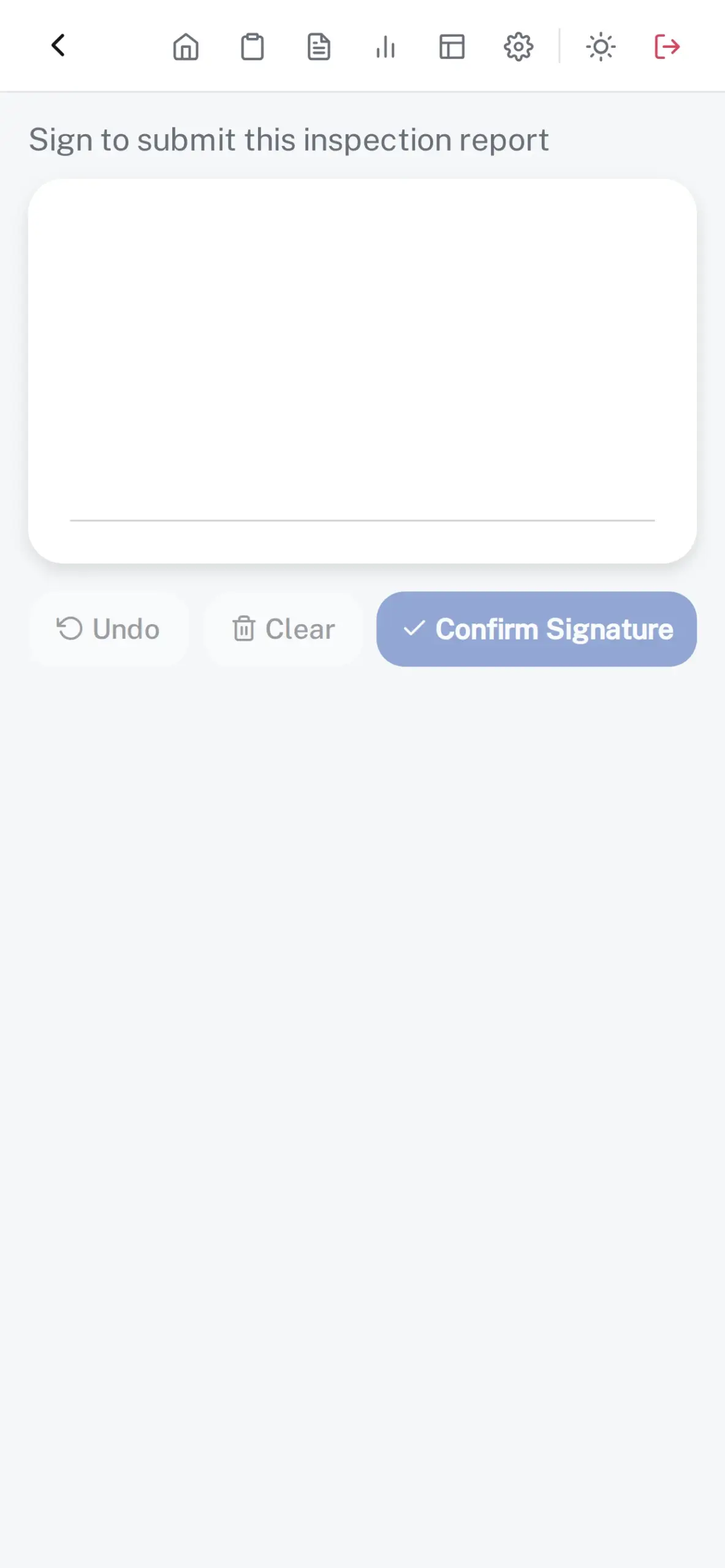
Draft → Submitted → Reviewed → Approved. Every step carries a drawn signature and a timestamp.
- Report strength, before you sign: a score for how well the evidence backs every finding, with each gap listed and a one-tap fix. It never leaves the device.
- A sealed confirmation after every signed step, with the signature verified on the device.
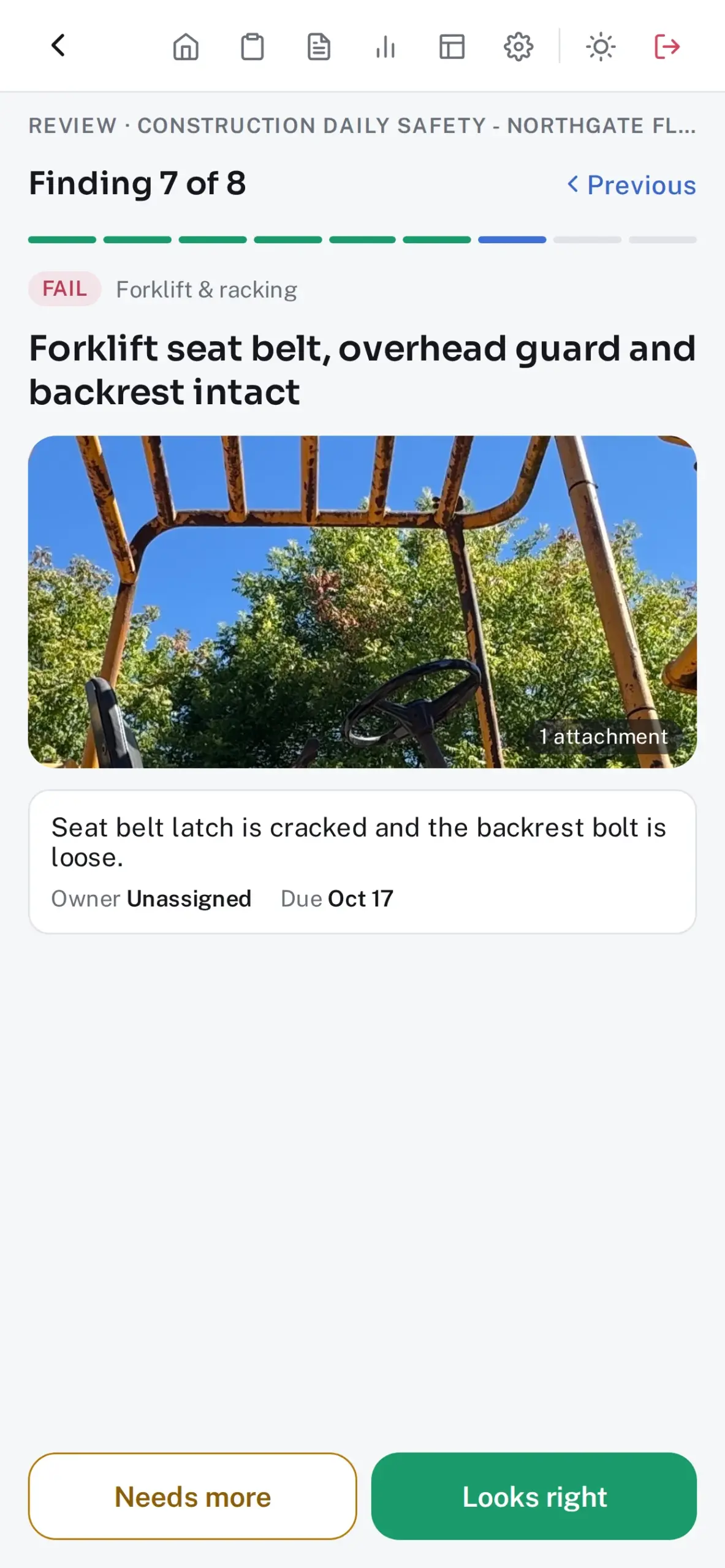
- A review walkthrough: one finding per screen with its photo, note, owner, and due date, marked Looks right or Needs more. Then sign it reviewed, or send it back with the notes compiled item by item.
- The approved record card: one image of the signed chain, with who signed, when, and whether each signature verifies, to text to a site manager. The PDF stays the record, and sharing the card is logged.
- Reviewers request changes; approvers reopen. Nobody reviews or approves their own work, and an approved inspection locks, with every later change in the audit trail.
- Weighted risk scoring by severity, so a critical fail can’t be averaged away.
- Template versions are enforced at submission, so nobody files against last year’s checklist.
Corrective action that actually closes
A finding that nobody fixes is a finding you’ll answer for twice.
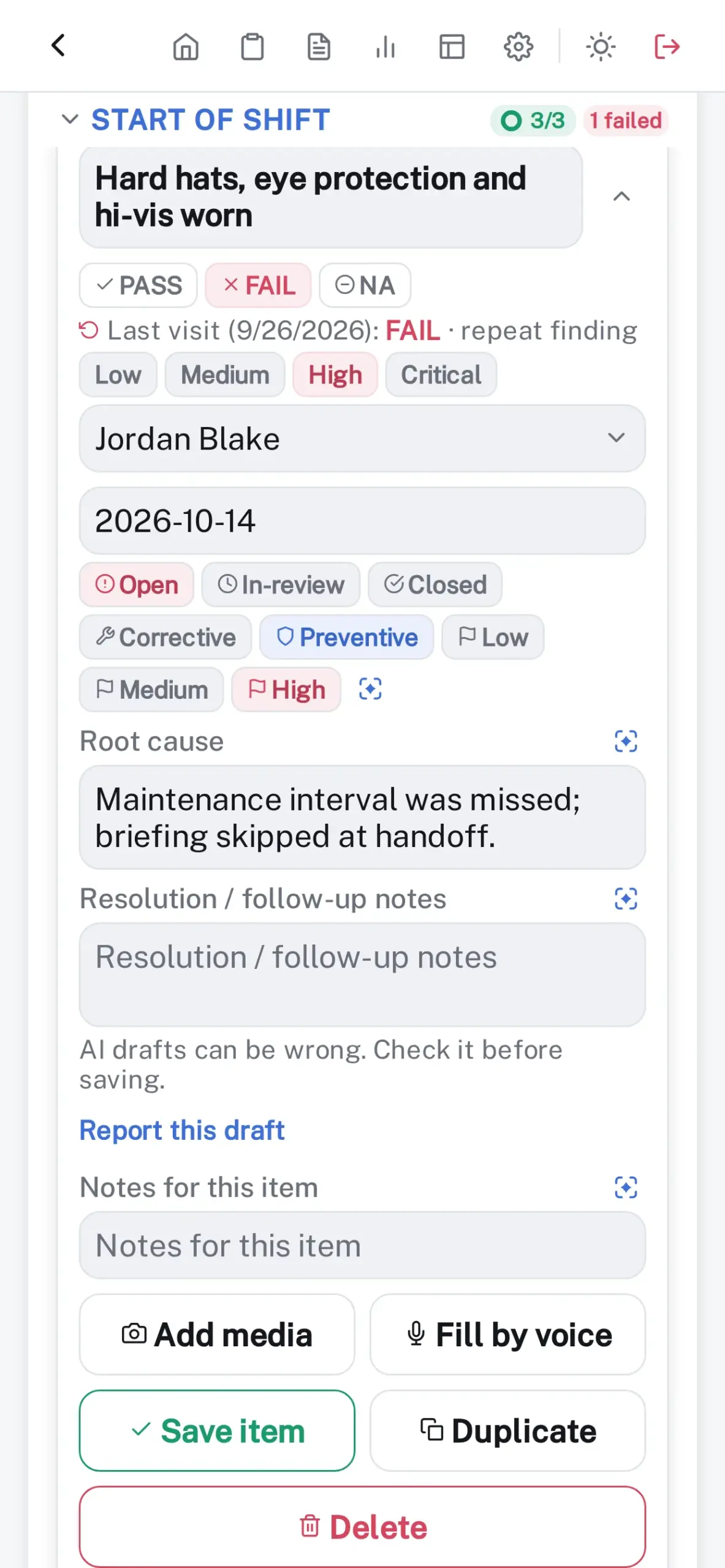
- Follow-ups with an owner, due date, priority, action type, and root cause.
- A failed item can’t be closed until evidence is attached.
- Due and overdue work shows on the dashboard and in alerts.
- The CSV export doubles as a CAPA register.
Reports that hold up
One tap produces the document you’d hand to a regulator.
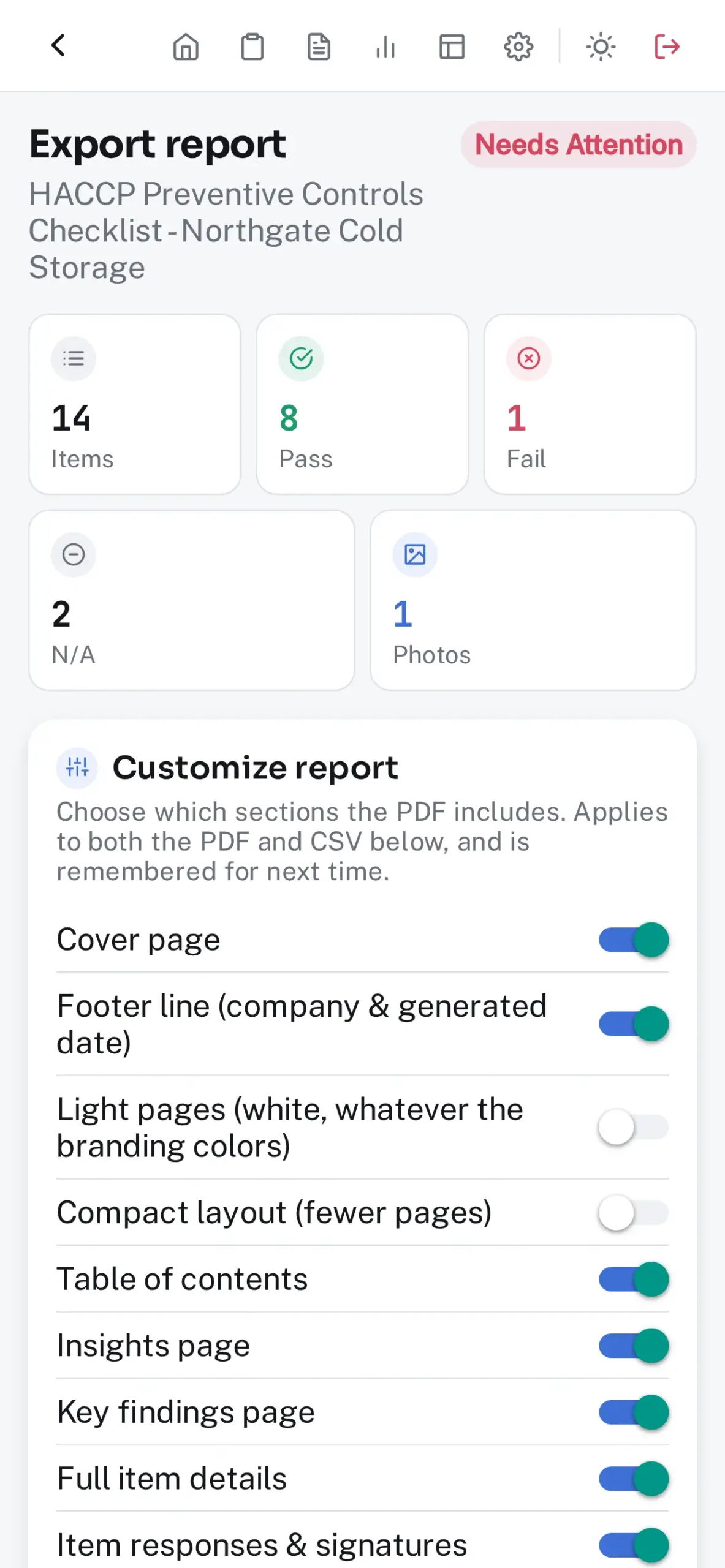
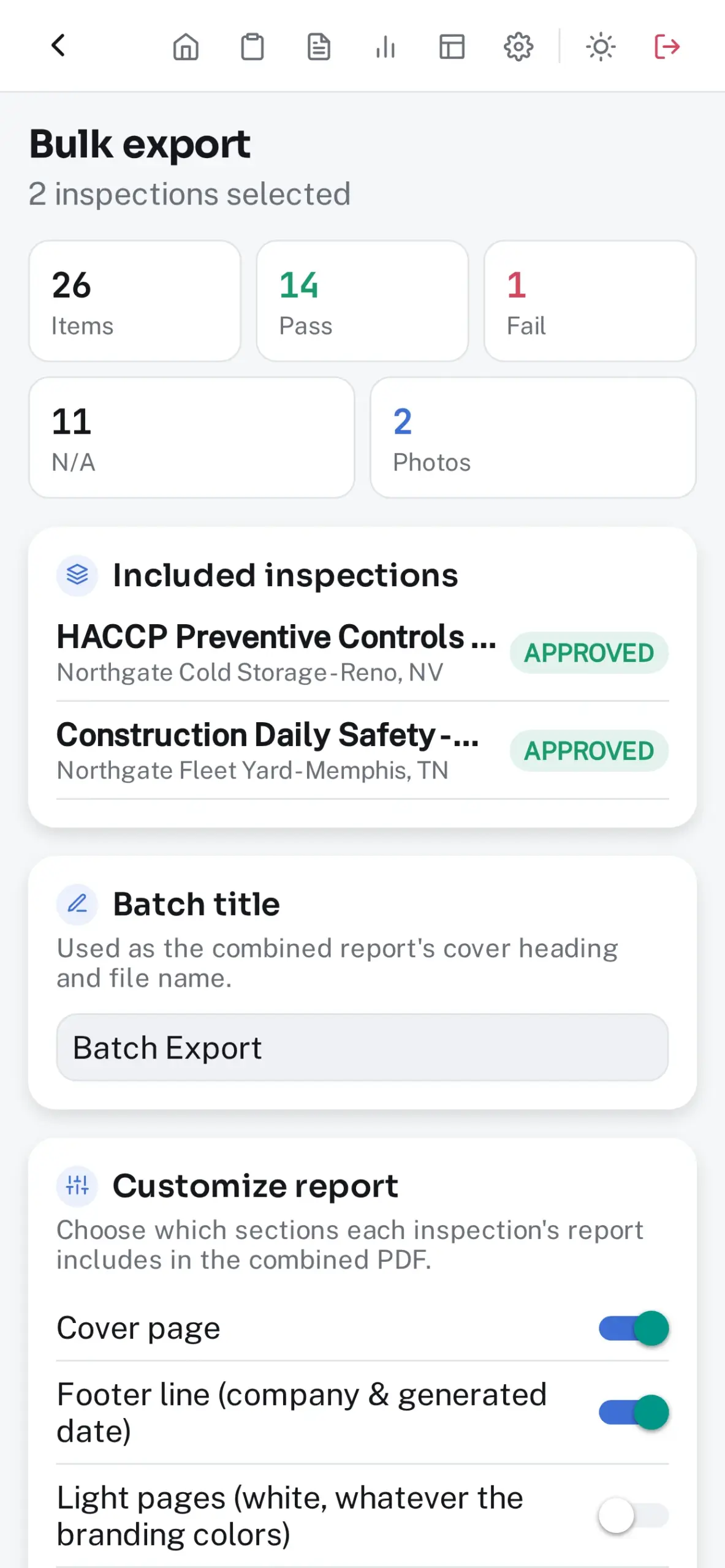
- Since Last Visit: every check compared with the last approved inspection at the site — new failures, repeat findings, and resolved items — on its own page and marked beside each item.
- PDFs in your logo, colors, and cover style: table of contents, key findings, full item detail, photo appendix, comments, and signatures, with your contact details, license number, footer line, and disclaimer.
- An Insights page: most-failed checks, repeat failures, pass rates, recurring root causes, and overdue follow-ups across the site’s last 12 months, or across a bulk export.
- Score trend against the last inspection at the site, and the weather on the cover.
- Bulk-export a month of approved inspections as one PDF or CSV, or email a report straight from the app.
- Photo location stripped at export when a report leaves the organization, and a status watermark on anything exported before approval.
Templates in minutes
Start from a standard, bring in the paper checklist you already use, or describe what you need and edit what comes back.
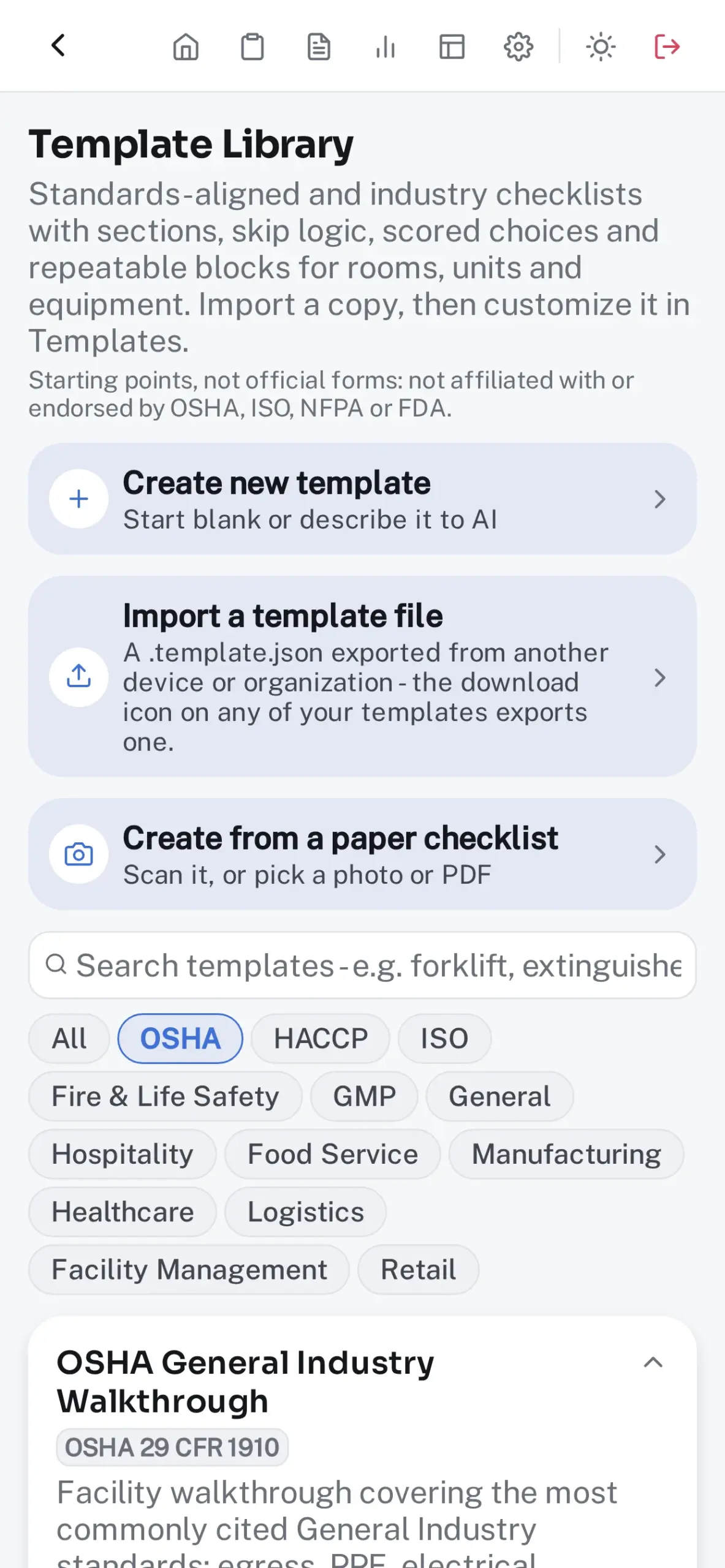
- A Checklist Library of 22 templates: OSHA 1910 and 1926, HACCP and FSMA, ISO 9001, 14001, and 45001, NFPA, GMP, hotel housekeeping, restaurant line checks, 5S, healthcare Environment of Care rounds, warehouse dock and forklift checks, commercial cleaning, retail store standards, and general-purpose inspections. Import and customize.
- Scan a paper checklist, or choose a photo or PDF of one, and turn it into a template. The text is read on the device, and you review it before anything is built.
- Scored choice scales (Good / Fair / Poor) saved as response sets beside your own, per-item weights, follow-up questions that appear only on a fail, and a note, photo, or owner required on failure.
- Repeatable sections: one “Guest room,” “Forklift,” or “Extinguisher” block per room, unit, or device, each under its own heading in the report.
- Versioned templates, so improving a checklist never rewrites inspections already filed against it.
An AI Assistant on the device or your own key
It drafts; you decide. Nothing it writes is saved until someone has read it.
- Inspection Hero works with Apple Intelligence on supported iPhone, iPad and Mac, where drafts stay on the device and work offline.
- Fill by voice: say what you see, “fail, the grease trap is overflowing, fix it by Friday,” and the answer, notes, and follow-up come back as changes you tick before anything is saved. Speech is transcribed on the device.
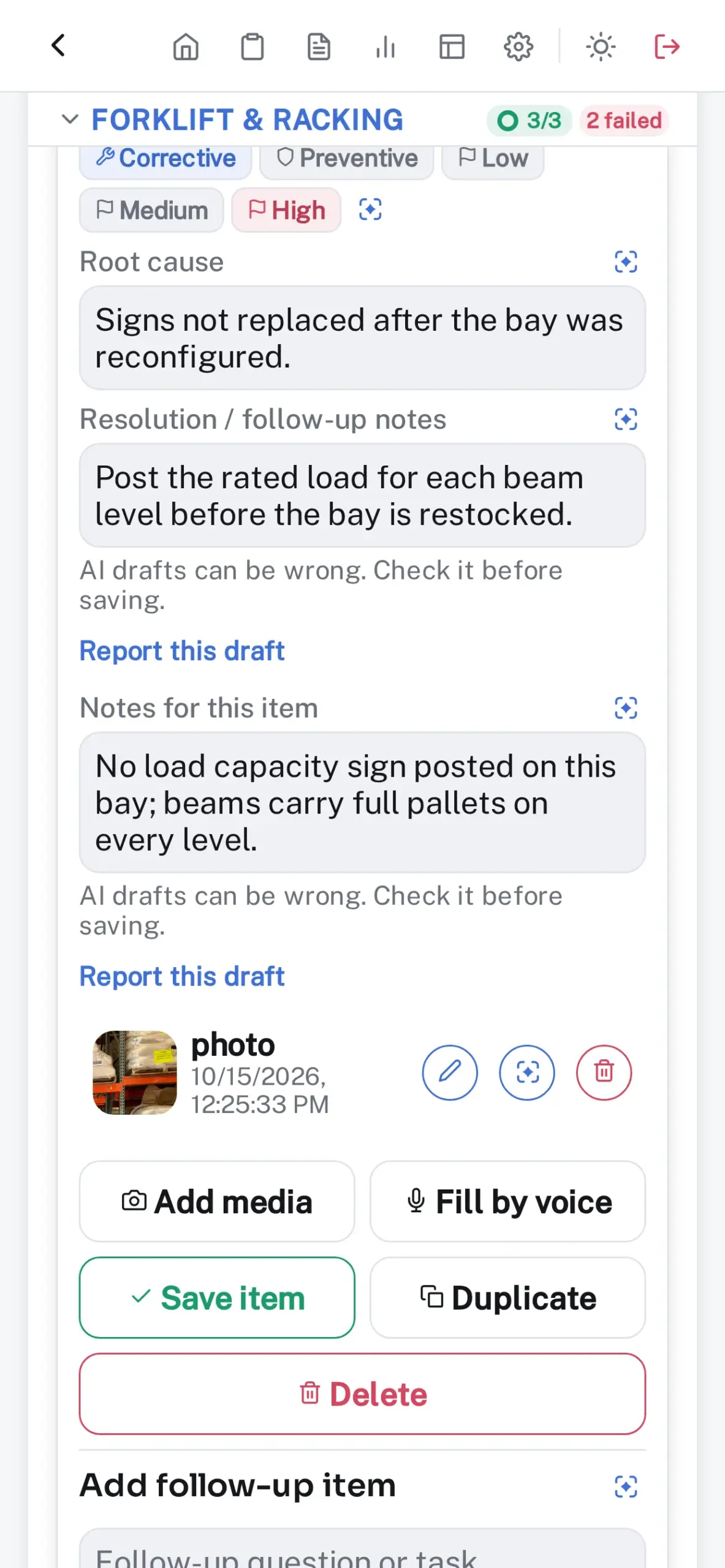
- Draft from photo: the AI Assistant drafts the notes from a photo on a check, and for a failed item the root cause, corrective action, and priority. Pass or fail stays the inspector’s call, and the photo’s location is removed before it’s read.
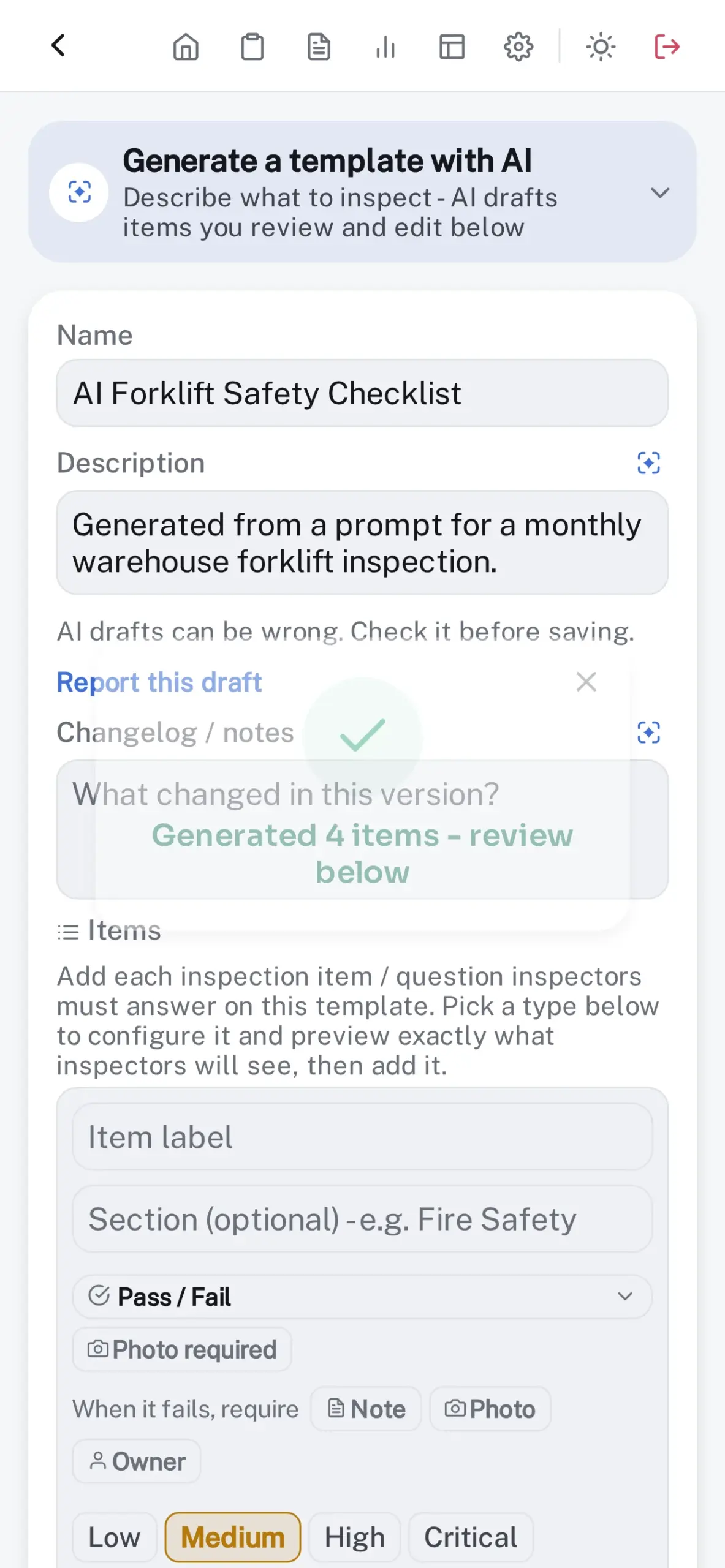
- Drafts a checklist from a plain-English description or a scanned paper one, and suggests questions, gaps, and evidence rules while you build.
- Drafts root cause, corrective-action notes, and follow-ups for every failed item.
- Writes the report summary and reads the trends in a site’s history; the report names who reviewed it.
- Off until a Supervisor turns it on and chooses where it runs: your AI key first, on the device first, or only on the device. Every AI-drafted field is in the audit trail, with where it ran. No credit meter.
- Your own AI key, or a model you host, takes longer requests and photos on devices where Apple Intelligence can’t read them, at your provider’s rates. Requests go from the device straight to that provider, and Test connection checks the key.
Built for real teams
Roles that match how the work is divided, and work that arrives already assigned.
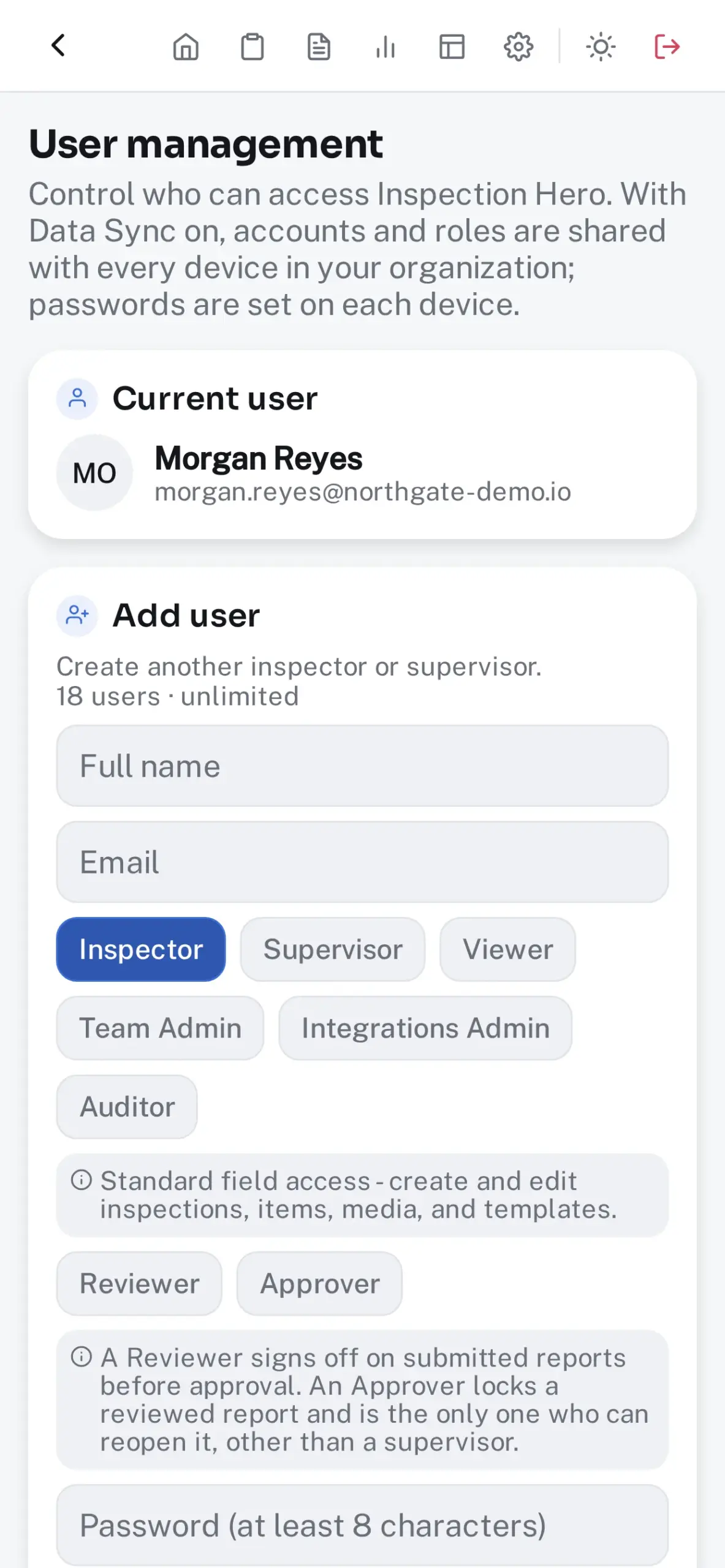
- Six roles — Supervisor, Inspector, Viewer, Team Admin, Integrations Admin, and a read-only Auditor — plus reviewer and approver flags, independent of role.
- Assignment: name a teammate as the Owner / Inspector and the inspection waits under Assigned to you on their Home, then joins their route on the day it’s due.
- Notices on the device: know when work lands on you (new assignments, send-backs and sign-offs waiting for you), even with the app closed, plus reminders before work is due. On a shared device the lock screen shows no details.
- Schedules: daily, weekly, or monthly inspections appear on their day, already assigned, offline, on every plan.
- Team tab: a Supervisor sees everyone’s open work and which scheduled visits were on time, late, or missed, and books a make-up.
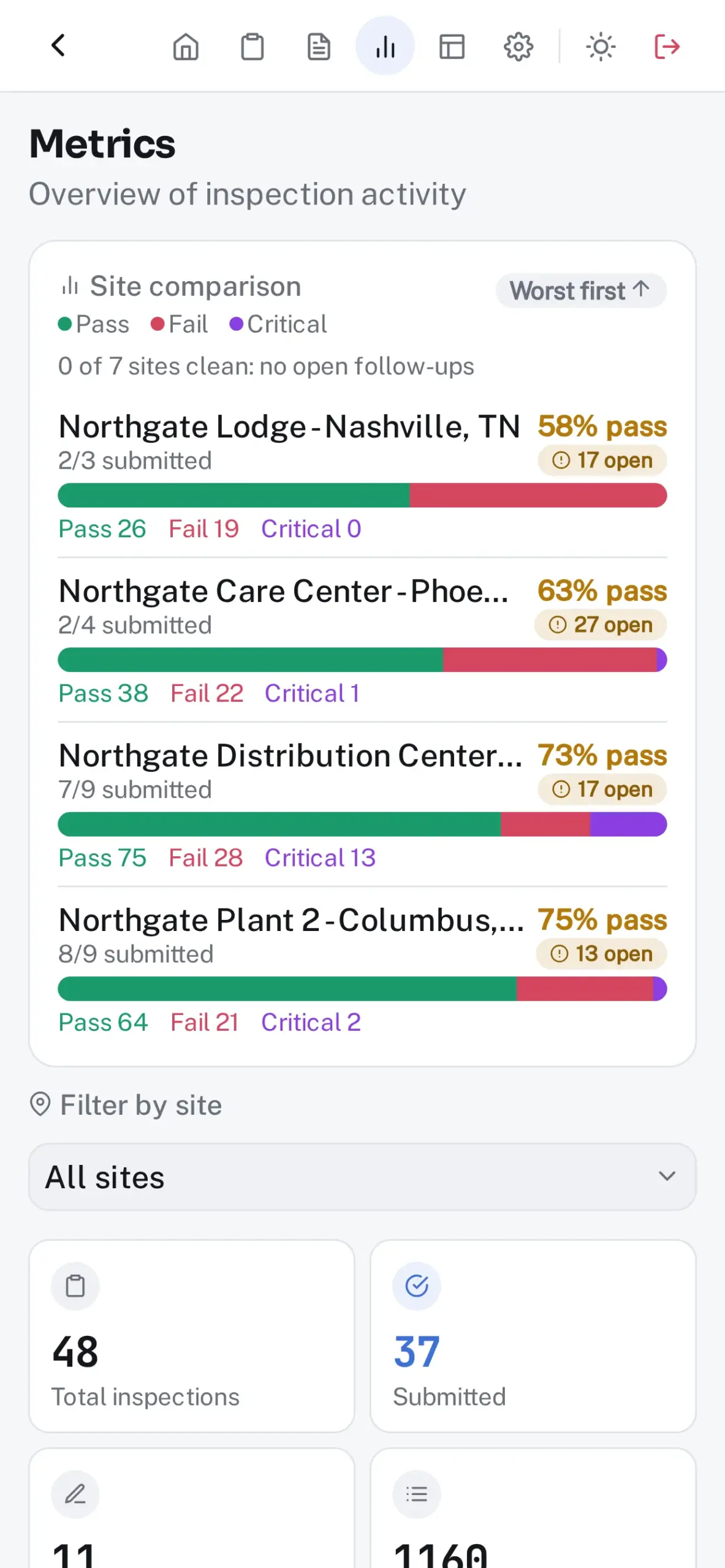
- A dashboard with due-today, overdue, critical, and needs-attention queues, and Metrics for pass rates, critical fails, site comparison, risk heatmap, and user insights.
- Quick starts on Home: “Same as last time,” plus the site and template pairs you run again, up to five, each filling the site, department, and template.
- Smart defaults and site profiles: pick a site in Quick create and the template, department, and due date follow, from the site’s profile first, then its history.
- Shared devices stay personal: everyone keeps their own welcome guide, reminders, quick starts, and AI key.
- Today’s route: the day’s inspections as stops on a road, nearest first, moving on as you sign, with directions a tap away. Built on the device and shared with no one.
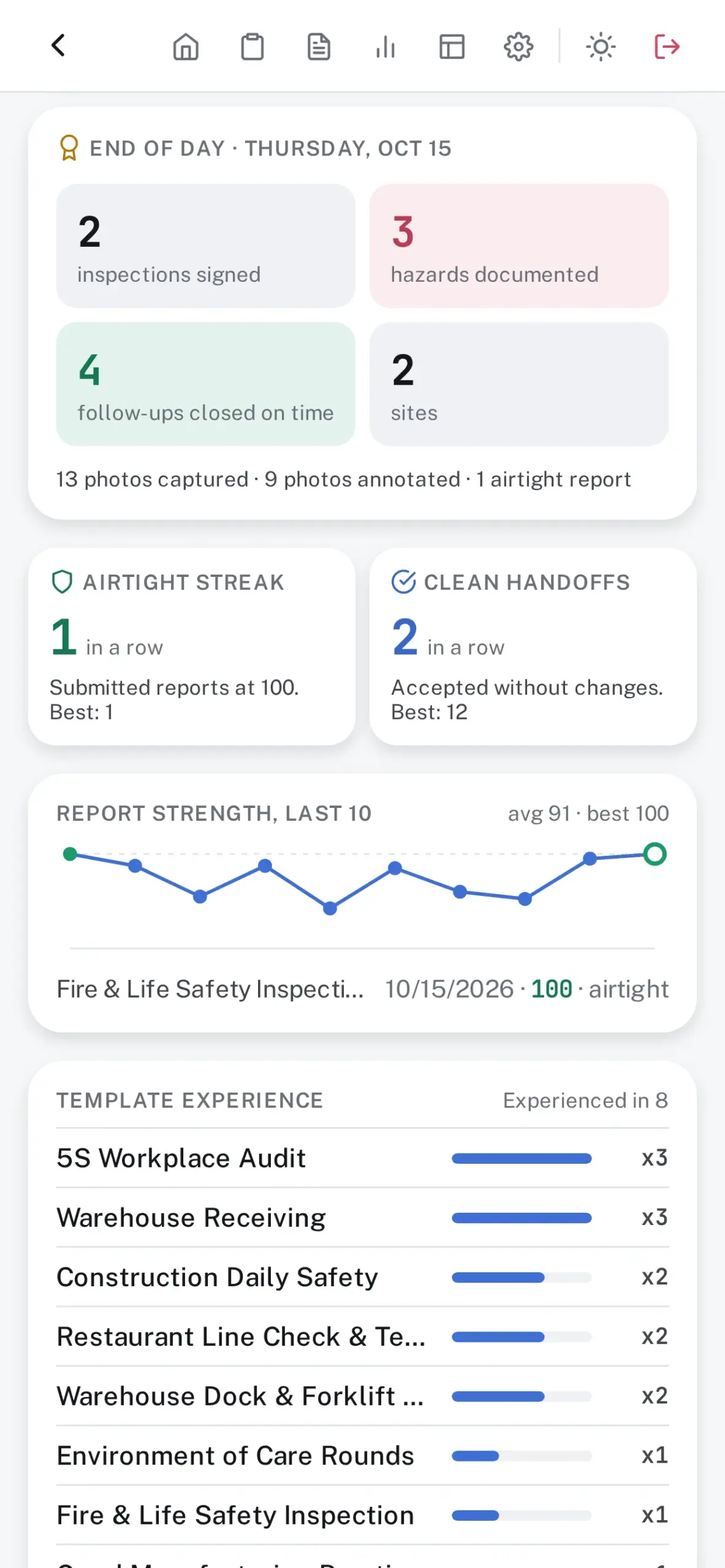
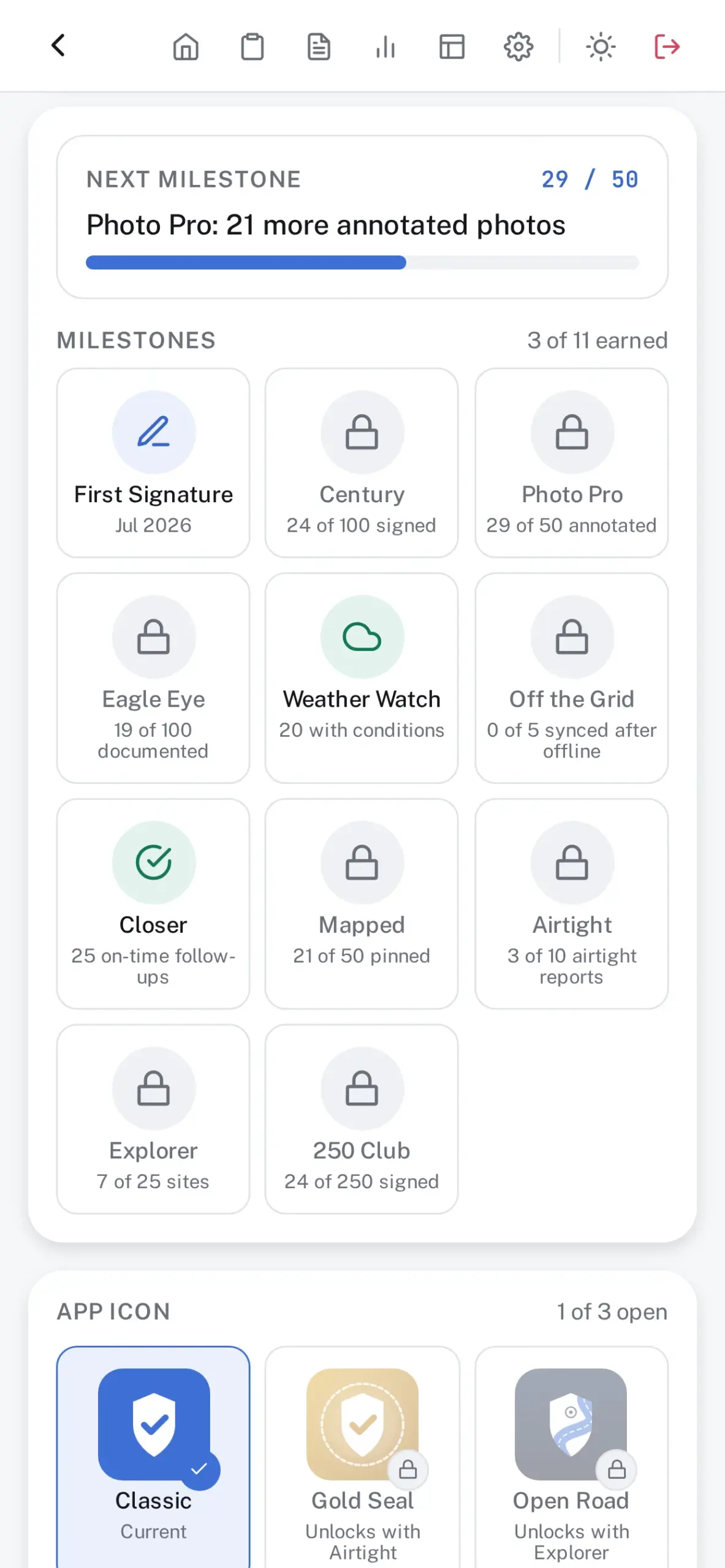
- An account page for each person, visible only to them: all-time stats, an end-of-day recap, streaks, report strength over the last ten reports, and milestones, some of which unlock a new app icon.
- Single Sign-On with any OpenID Connect provider, set once for the whole organization and checked with Test connection before anyone signs in. A Supervisor can make it the only way admins sign in, and roles can follow your directory’s groups.
- Bulk user import on Business and above.
Your data, your infrastructure
The part most inspection software can’t offer.
- Records live on your devices. No account with us, no analytics, nothing transmitted to us.
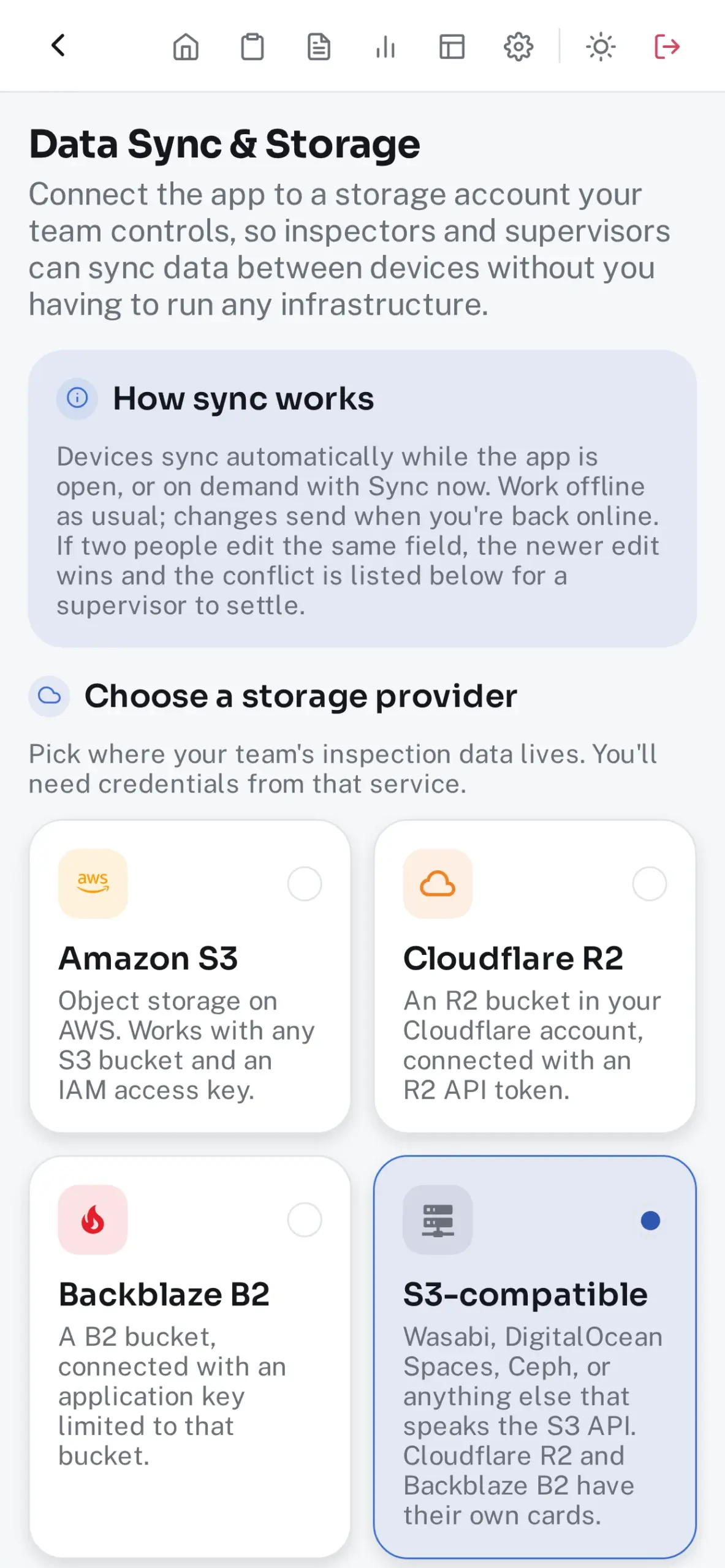
- Data Sync keeps every device in step through storage your organization controls — Amazon S3, S3-compatible stores, Google Cloud Storage, Azure Blob Storage, or Azure Files — and checks the storage when you save it, so a wrong key is caught on the spot, not on site.
- Conflicting edits are never silently overwritten: the same field changed twice is flagged for a Reviewer, with both values kept.
- A Sync card on Home: what’s waiting, what last synced and when, and a Sync now button.
- Set up another device: one code per setting from Settings, or join your organization from a new install. Single Sign-On arrives with the first sync, and nothing passes through us.
- Face ID or Touch ID unlocks the app. On a password account, signing after a Face ID unlock still takes your password, so a shared device never signs for the wrong person.
- Alerts to Slack, Microsoft Teams, Discord, Telegram, email, or any webhook: due and overdue work, every signed step, critical fails, and closed follow-ups.
- Signed backups, optionally encrypted with AES-256-GCM, that restore onto a new device (Team plan and above) with roles, sign-ins, and integrations intact.
- No internet connection is needed for anything, plan activation included, so the app runs on air-gapped and closed networks.
Full detail on how this is built, and the full list of environments: Security.
Try it before you decide
Choose Try a demo on first launch and explore sample data from a fictitious company — no account, nothing to set up. The demo runs for 7 days.
The Starter plan is free and yours to keep: the full workflow for up to 5 accounts on one device, including exports, the Checklist Library, and the AI Assistant. Team, Business, and Enterprise plans add Data Sync, alerts, Single Sign-On, and bulk user import — at one flat price per organization.
See plans and pricing.